Calendar 2026
- 4.5
- Rating
- 5.00M
- Installs
- Free
- Price
 Analysis by App-foxy
I installed Calendar 2026 after noticing how easily a normal week can become a pile of loose reminders, appointments, errands, and half-remembered plans. A calendar is supposed to remove that mental load, but many of them make you work almost as hard as the planning itself. This app takes a more practical route by putting events, tasks, reminders, appointments, and schedules in one place. In my experience, its biggest value is not making planning exciting; it is reducing the number of small decisions I have to keep in my head.
That makes it a useful productivity app for people who want a straightforward planning tool rather than a complicated project-management system. Calendar 2026 is free to start, is suitable for Everyone, and comes from Calendar Planner. It has built a sizeable audience, with more than five million installs and an average rating of 4.5 from roughly twenty-seven thousand ratings. Those figures do not replace personal testing, but they do suggest that the app’s simple approach works for many everyday users.
Why putting tasks and appointments together matters
The recurring problem this app addresses is the gap between things that happen at a specific time and things that simply need to get done. A dentist appointment belongs at ten in the morning, while buying printer paper may only need to happen before the weekend. If those two types of information live in separate places, I have to remember to check both. That is where planning starts creating friction instead of removing it.
You May Also Like

 Blood Strike: 2.5 Anniversary
Blood Strike’s Loadouts Turn Every Drop Into a Tactical Gamble
A close look at Blood Strike’s custom loadouts: how fast access to signature weapons reshapes its battle royale rhythm, rewards preparation, and narrows the gap between fights.

 Pandora - Music & Podcasts
Pandora’s Music Is Easy to Start, but Harder to Recover
Pandora’s strength is its low-effort path from a seed to a station. Its weak spot is how much confidence it asks you to place in connection, setup, and quiet recovery.

 8 Ball Pool
 Is Built on Rivalries, Rematches, and Routine
A close look at the rivalries, rematches, shared routines, and unanswered safety questions that turn a quick pool match into a persistent mobile community.

 Samsung Music
’s Quiet Strength Is Playing What You Already Own
Its reach comes less from spectacle than from dependable access to a personal library. That simplicity is both the app’s strongest retention engine and its ceiling.

 AccuWeather: Weather Radar
AccuWeather Review: A Quick, Clear Forecast for Everyday Decisions
For everyday plans, the best forecast is the one you can understand quickly. AccuWeather makes rain timing, radar, and local conditions easy to act on, with a few trade-offs.

 Hill Climb Racing
Why Hill Climb Racing Still Turns Crashes Into One More Run
A tiny car, a bumpy hill and one more upgrade: Hill Climb Racing keeps resurfacing because its simple chaos makes every near-miss feel personal.
More From Our News Desk



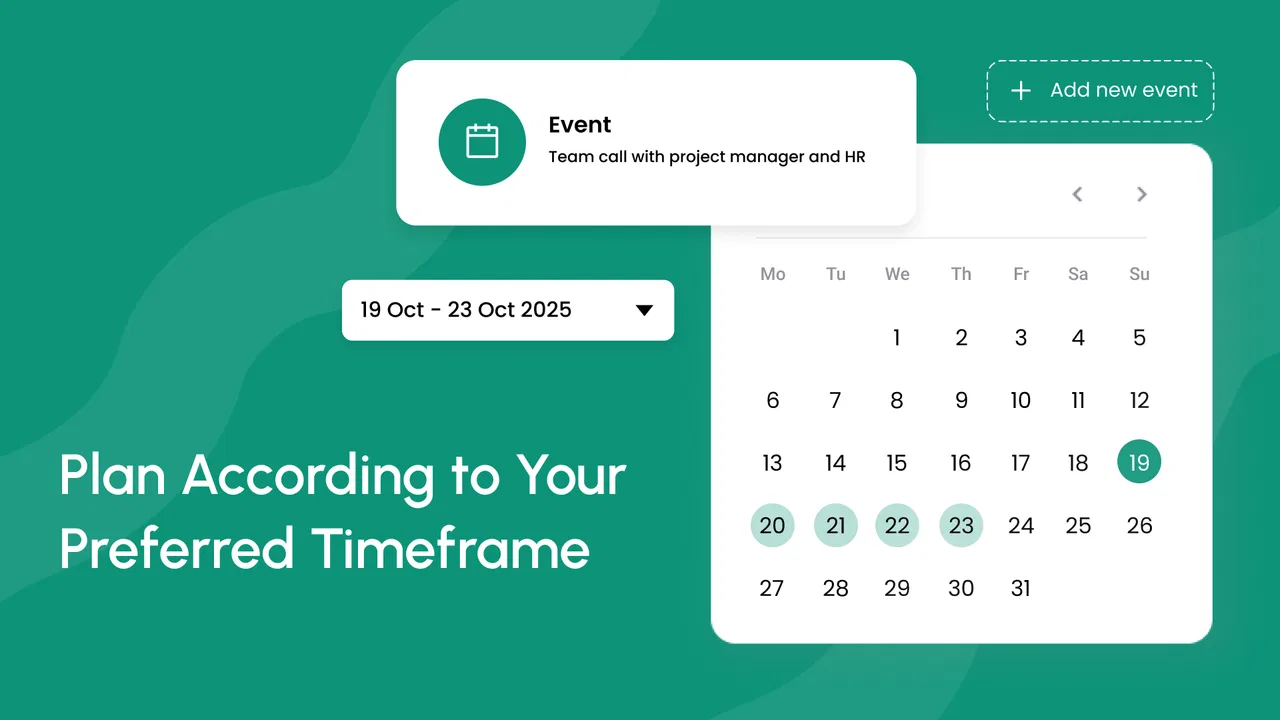
Calendar 2026 is most helpful when I treat it as a single visual map of my commitments. I can look at the day and see the fixed appointment alongside the flexible task. That small change makes it easier to judge whether a day is genuinely available. A blank afternoon may look free until I remember the errands that need to fit there; placing them beside scheduled events gives me a more honest picture.
I also like the distinction between planning a task and merely writing a note. A note can disappear into a list, while a task connected to a day has a better chance of becoming part of my routine. This is particularly useful for recurring household responsibilities, study sessions, preparation before an appointment, or small work actions that are easy to postpone.
The app is not a replacement for every kind of organization. Someone managing a large team, complex dependencies, or a long editorial workflow will probably need a dedicated project tool. Calendar 2026 is better at answering a simpler question: what do I need to remember, and when should I deal with it?
The first setup should stay deliberately small
My advice is not to enter an entire life history on the first launch. Start with the commitments that cause the most missed details: appointments, deadlines, school or work blocks, and recurring personal responsibilities. Once those are visible, add reminders and tasks that support them. This creates a useful calendar quickly instead of turning setup into another project.
The store short description identifies the app as Calendar 2026, while the current version is 2.0.6.9 and it runs on Android 7.0 or later. That broad device compatibility is helpful if you use an older phone or keep a secondary device for planning. I would still check the app’s behavior on the particular phone I rely on most, because calendar tools are only useful when opening them feels dependable and familiar.
During setup, I would also decide on a naming style before adding dozens of entries. Short labels such as “Call school,” “Prepare presentation,” or “Renew document” are easier to scan than sentences. For appointments, adding the purpose directly to the title saves time later. A calendar becomes much more useful when I can understand the day at a glance without opening every item.
One practical workflow is to create the event first, then add the preparation task separately. For example, instead of writing only “medical appointment,” I would schedule the appointment and create a reminder to gather documents the day before. This prevents the common mistake of remembering the meeting but forgetting what needs to happen beforehand.
Using it through an ordinary week
Imagine a Monday with a work appointment in the morning, a grocery trip after work, and a school-related task that must be finished by Wednesday. In a basic calendar, the appointment is easy to record, but the grocery trip and school task may remain in my head or in a separate notes app. With Calendar 2026, I can place all three into the same planning view and decide whether the evening is realistic before I promise myself too much.
On Tuesday, the same view helps me see the difference between an obligation and an option. The appointment is fixed; the grocery trip can move; the school task can be split into preparation and completion. That distinction is a small but important planning habit. It stops me from treating every item as equally urgent and helps me use spare time more intelligently.
For people who work irregular hours, the app can be useful as a personal shift-and-task board. I would enter the work block as an event, then place errands or recovery time around it. The benefit is not advanced scheduling logic; it is being able to see whether an apparently short task actually fits after travel, meals, or another commitment.
Students can use the same approach for classes, assignment deadlines, revision sessions, and reminders to bring materials. Parents may find it useful for combining appointments with school activities and household tasks. Freelancers can separate client calls from the preparation that makes those calls productive. In each case, the time-saving comes from reducing repeated checking across unrelated lists.
A particularly useful habit is the end-of-day review. I spend a minute checking what was completed, moving unfinished tasks to a realistic later point, and looking at the next day’s fixed events. This is more effective than continually rewriting a master to-do list because the next action is connected to an actual date. It also exposes overloaded days before they become stressful.
Small planning techniques that improve the experience
One non-obvious advantage of a combined calendar is that it reveals hidden preparation time. If I schedule only the main event, I may think I have room for another commitment. If I also record travel preparation, documents to bring, or a short follow-up action, the day becomes more accurate. I would not fill every minute, but I would use supporting tasks for events where forgetting the preparation creates the real problem.
Another useful technique is to keep flexible tasks separate from immovable events. A task such as “buy ingredients” should not be treated like a meeting unless it truly has a fixed time. Keeping that difference clear makes rescheduling less frustrating. When the day changes, I can move the flexible item without feeling that I have broken the whole plan.
I also recommend using the calendar as a decision filter rather than a storage box. Before accepting a new appointment, I would check the surrounding tasks and recovery time. If the day is already crowded, the app gives me a concrete reason to decline, move, or shorten something. That is where it saves more time than simply writing reminders: it helps prevent unrealistic commitments.
For recurring responsibilities, consistency matters more than detail. A short, repeatable task is easier to maintain than an elaborate entry that I stop updating. I would use clear wording and review recurring items occasionally so that old routines do not continue after circumstances change. This is especially important for monthly chores, study plans, and work routines.
Where the app removes friction, and where it still asks for patience
The strongest part of Calendar 2026 is the central idea of combining several planning needs in one app. I do not have to decide whether something belongs in a calendar, a reminder list, or a note before recording it. That lowers the barrier to capturing small commitments, which is often the moment when people lose them.
The app also suits users who prefer a visual schedule. Seeing tasks near appointments gives more context than a plain checklist, while seeing tasks at all gives more practical detail than an events-only calendar. I find that balance especially helpful on busy days when the question is not just what is scheduled, but what can realistically be completed around it.
There are trade-offs. A single planning space can become crowded if I add every thought, idea, and optional task. The solution is not to abandon the app, but to keep entries purposeful. If I use it as an unlimited dumping ground, the calendar loses its ability to show priorities. This is a limitation of the combined approach: convenience can create visual noise unless I maintain it.
Users who expect deep collaboration, sophisticated project dependencies, or specialized team workflows may find the app too modest. A dedicated calendar service may be a better choice for people whose main need is shared scheduling across several participants. A dedicated task manager may be preferable for someone who needs detailed subtasks, progress tracking, or complex categories. Calendar 2026 makes more sense when personal planning and time awareness matter more than advanced coordination.
The free entry point is appealing, but in-app purchases range from $1.99 to $39.99 per item. I would begin with the free experience and decide only after using the core workflow for several days. That is the sensible way to judge whether any optional purchase improves my routine rather than paying for possibilities I may never use.
Privacy-conscious users should make their own comfort decision before storing sensitive information. I would keep titles practical and avoid putting confidential details into ordinary calendar labels. That is good practice with any planning app, especially when the calendar may be visible during a quick screen check or shared indirectly through a device.
Another question many users have is whether the app is suitable for an older phone. Its minimum requirement of Android 7.0 makes it accessible to a wide range of devices, although day-to-day smoothness can still depend on the phone itself. I would test adding, editing, and reviewing entries during the first few days rather than assuming that compatibility alone guarantees the exact experience I want.
For someone wondering how long it takes to become useful, I would not overcomplicate the answer: add the next week’s real commitments, then use the app during one normal workday and one weekend day. That is enough to reveal whether the layout matches the way you think. If you naturally prefer a paper planner or a minimal checklist, the combined calendar may feel more detailed than necessary. If you regularly forget the small actions around appointments, its structure is more likely to pay off.
Calendar Planner has kept the concept focused, and the app’s release history goes back to October 16, 2018. The current version indicates that it remains an actively maintained product in the form available today, but I would still judge it by the tasks I actually need rather than by longevity alone. The important test is whether I can capture a commitment quickly, understand my day, and adjust plans without creating extra work.
After using it, my view is that Calendar 2026 is a solid choice for personal scheduling when the main problem is scattered information. It saves time by bringing appointments, reminders, and tasks into one planning habit. It removes friction by letting me think in terms of the day instead of separate lists. Its weakness is that it does not try to be a full project-management environment, and the calendar can become cluttered if I record too much without reviewing it.
I would recommend it to students, families, freelancers, and anyone who misses small follow-up actions around important events. I would skip it in favor of a more specialized tool if I needed heavy collaboration, detailed task hierarchies, or a shared professional scheduling system. For everyday personal planning, though, Calendar 2026 earns its place by making the week easier to see and easier to adjust. It is free, rated for Everyone, and worth trying if your current system is a mixture of memory, notes, and scattered reminders.
FAQs for Calendar 2026
01What features does Calendar 2026 offer to enhance productivity?
Calendar 2026 comes packed with features designed to boost productivity, such as customizable event reminders, color-coded tags for easy organization, and seamless integration with other productivity apps. Users can also enjoy shared calendars for collaborative planning, and advanced scheduling tools that automatically suggest optimal meeting times based on participant availability.
02Is Calendar 2026 compatible with both Android and iOS devices?
Yes, Calendar 2026 is fully compatible with both Android and iOS platforms. The app provides a consistent experience across devices, allowing users to sync their schedules and access their calendars from smartphones, tablets, and desktops. This cross-platform compatibility ensures that users can manage their time effectively, no matter which device they prefer.
03Can Calendar 2026 be used offline, and how does it handle data synchronization?
Calendar 2026 offers offline functionality, enabling users to view and edit their calendars without an internet connection. Once reconnected, the app automatically syncs any changes, ensuring that all data is up-to-date across all devices. This feature is particularly useful for users who travel frequently or have intermittent internet access.
04How secure is my personal information with Calendar 2026?
Security is a top priority for Calendar 2026. The app employs robust encryption protocols to protect user data and personal information. Additionally, it offers two-factor authentication to provide an extra layer of security. Users can feel confident that their data is safe from unauthorized access and potential breaches.
05Does Calendar 2026 offer customer support for troubleshooting issues?
Yes, Calendar 2026 provides excellent customer support to assist users with any issues or inquiries. Support is available through multiple channels, including email, live chat, and an extensive FAQ section on their website. The support team is responsive and knowledgeable, ensuring that users receive timely and effective assistance.
Pros
- User-friendly interface for easy navigation.
- Customizable themes and color schemes.
- Syncs seamlessly with other calendars.
- Offers multiple view options: day
- week
- month.
- Efficient reminders and notifications system.
Cons
- Limited integration with third-party apps.
- Lacks advanced task management features.
- Occasional sync delays with cloud services.
- No offline access to calendar events.
- Ads in the free version can be intrusive.

Calendar 2026
Gallery